Manually Add Numbers in Webex Control Hub
For the Webex Cloud Connect Non-Integrated mode, you must manually add the desired calling numbers to your site location in Webex Control Hub.
Do not move numbers between locations. Instead, first remove it from the old location and then add it to the new location.
| ➢ | Do the following: |
| 1. | In the Webex Control Hub, in the Navigation pane, select PSTN & Routing. |
| 2. | From the Manage drop-down list, choose Add. |
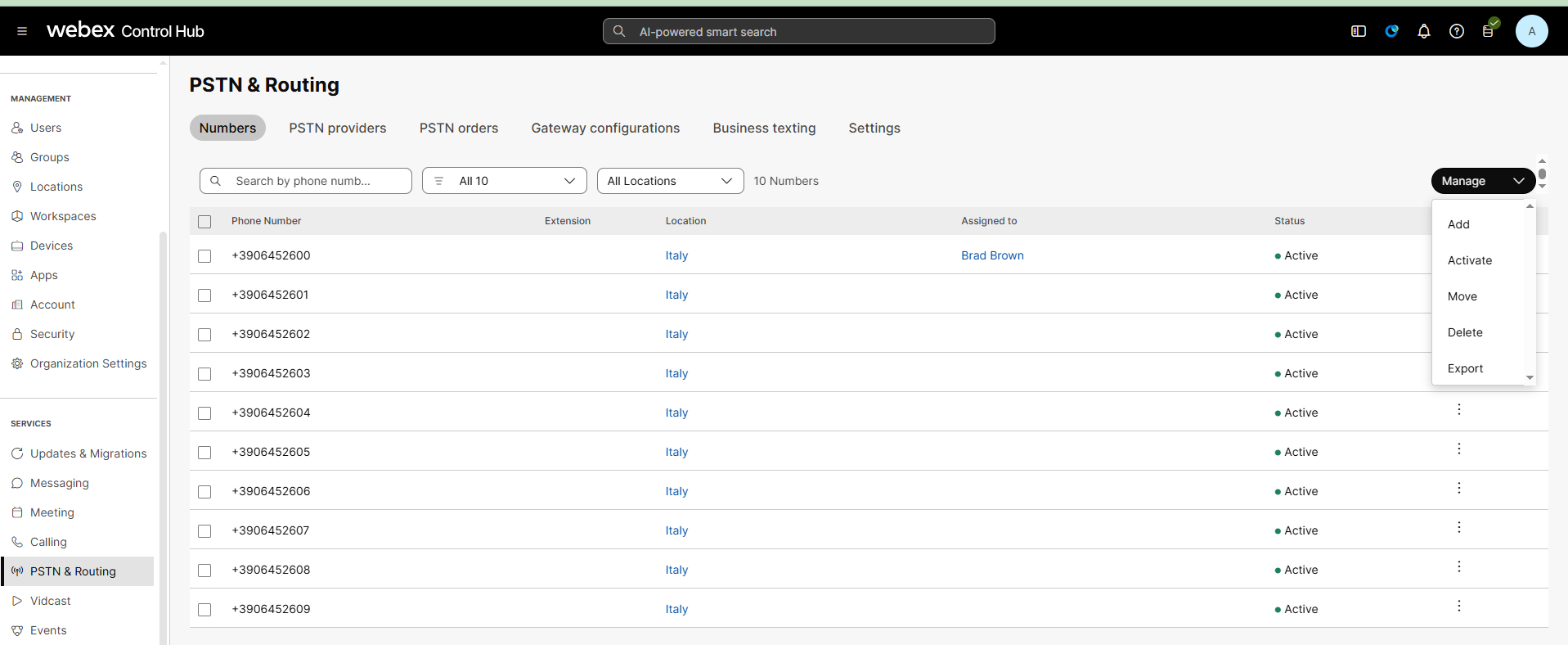
| 3. | Add the desired phone numbers to the relevant site location. |
For further details, see Webex documentation at Manage phone numbers in Control Hub.